
How to add the app to home screen on IOS
Here you will be able to follow directions to add a Home Screen icon to your phone or tablet to use the MSN Pro Coaching App easier.

Step 1
Open the website on Safari navigator, it will not work on chrome. Once open, click the 3 buttons on the bottom left-hand side of the screen.
Step 2
Click on “Share”

Step 3
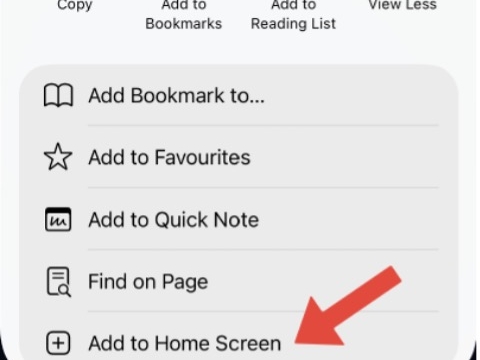
Click on “Add to Home Screen”
Step 4
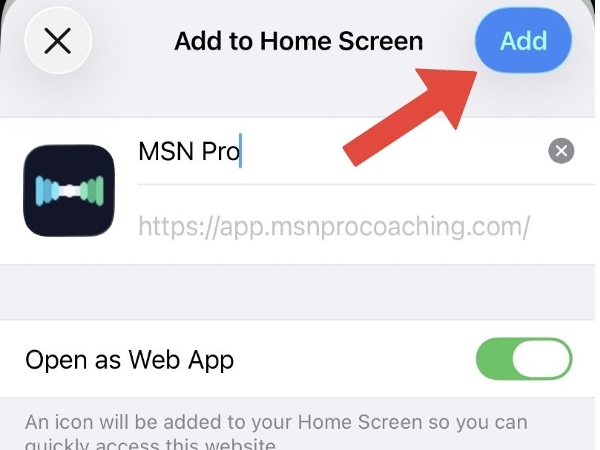
Choose the name for the app and make sure “Open as Web App” is turned on. Click “Add” to add the app to the home screen.